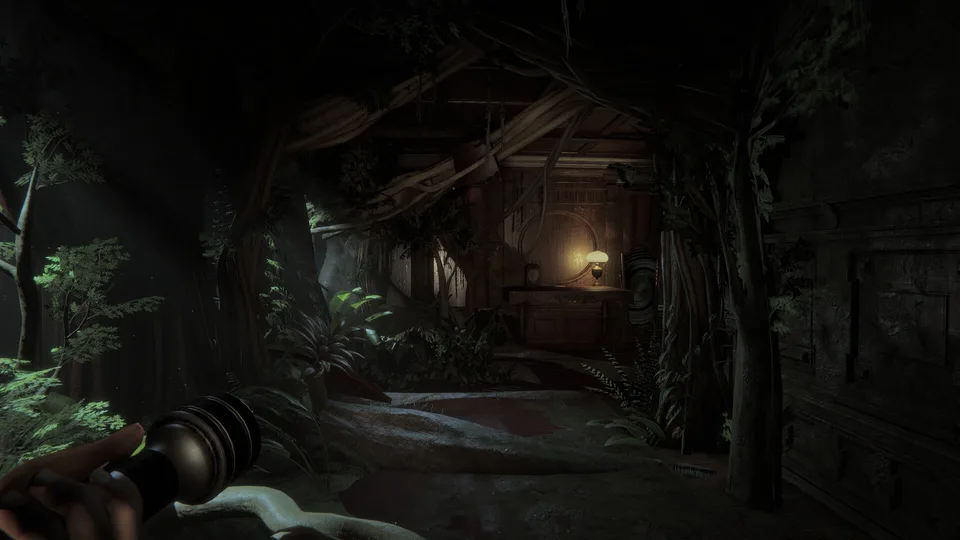
How to Solve the Invokyr Final Room: A Complete Guide
Struggling with the Invokyr final room? Learn the essential steps to trigger the ending, including board game placement and voice input requirements.
Published: Invokyr Wiki Editorial Team
Table of Contents
Resolving the Final Room Sequence
Reaching the end of the Invokyr demo often leads to confusion when players find themselves in the final room with no clear way to progress. According to developer clarifications on the official Steam community, the room does not resolve through location alone. Instead, the ending acts as a specific checklist that requires both environmental interaction and technical configuration to function correctly.
If you are standing in the final area and nothing happens, it is likely because the game’s internal logic is waiting for two specific conditions to be met simultaneously: the presence of the board game and active voice recognition.
Essential Requirements for the Ending
To successfully complete the demo, you must satisfy four distinct conditions. Missing any of these will prevent the sequence from firing, leaving the game in a state of soft-lock where it appears unresponsive.
Reach the final area: Only attempt the interaction once you have arrived at the designated end room through normal gameplay progression.
Retrieve the board game: The board game is a required object that must be physically brought into the final room. If you left it behind in an earlier area, you must backtrack to retrieve it.
Enable voice input: Even if your microphone is working in other applications, you must verify that the in-game settings have voice input enabled.
Speak the keyword: Once the board game is inside the room and your microphone is active, clearly say "Invokyr" to initiate the resolution.
Troubleshooting Voice Input Issues
A common point of failure reported by players is the discrepancy between hardware functionality and in-game settings. Community members have noted that having a functional microphone is not enough if the game's internal voice-input toggle is set to off.
Tip
Verify Settings, Not Just Hardware: If the game fails to respond to your voice, do not assume your microphone is broken. Open the settings menu specifically to ensure the game is granted permission to listen.
If you have confirmed your settings and the game still does not respond, ensure the board game is placed well within the confines of the final room. Do not leave it at the threshold, as the game’s trigger zone may require the object to be fully inside the designated space.
Diagnostic Checklist for the Final Room
If you find yourself stuck, use this diagnostic sequence to isolate the problem. By changing only one variable at a time, you can determine exactly what is preventing the ending from triggering.
Step
Action
Expected Result
1
Check Location
Ensure you are physically inside the final room.
2
Verify Object
Confirm the board game is inside the room with you.
3
Check Input
Toggle the voice input setting in the menu to "On".
4
Speak
Say "Invokyr" clearly and wait for the game to respond.
By treating the final room as a mechanical checklist rather than a narrative riddle, you can bypass the frustration of repeated, unsuccessful attempts. If the sequence fails, re-verify the board game's position before attempting to speak the phrase again.